Storyboard Template
A six-frame storyboard with 16:9 panels, frame numbers and lines under each frame for action, dialogue and camera notes. Free PDF or sketch it with Apple Pencil online.
Free · no sign-up · PDF works for printing and in any note app (Goodnotes, Notability, Notes for iPad). Made for this site.
About this template
Storyboards turn a script into pictures before you film, animate or design. Each page has six widescreen (16:9) frames in two columns, numbered in order, with note lines underneath for the action, dialogue, camera movement or timing. Title and scene fields keep multi-page boards in order. Use it for videos, animations, ads, presentations and comics.
How to use it
- Sketch rough stick figures first — clarity beats detail.
- Write the camera shot (wide, close-up, pan) in the notes under each frame.
- One frame per key moment; if a shot changes, start a new frame.
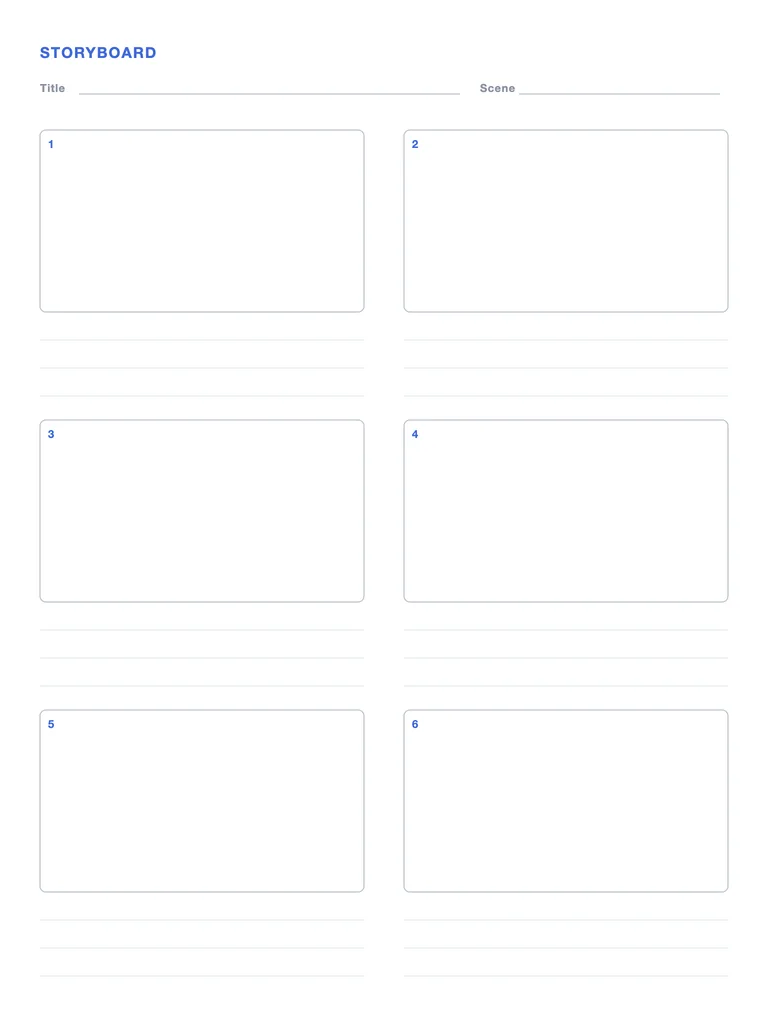
Write with Apple Pencil, a mouse or your finger. Your page is saved in this browser.

Import this PDF into Notes for iPad
Write on it with Apple Pencil next to 117 built-in templates, notebooks, stickers and PDF export.
Frequently asked questions
What aspect ratio are the frames?
16:9, the standard for video and most screens.
Can I use it for school projects?
Yes — storyboards are great for planning videos, presentations and stories in class.