 Notes for iPad
The Cornell Method: How to Take Cornell Notes
Updated 2026-09-29 · By the Notes for iPad team
The Cornell method is a note-taking system that builds review into the notes themselves. It takes about ten extra minutes after each class and pays off at exam time. Here is exactly how to do it.
The Cornell page layout
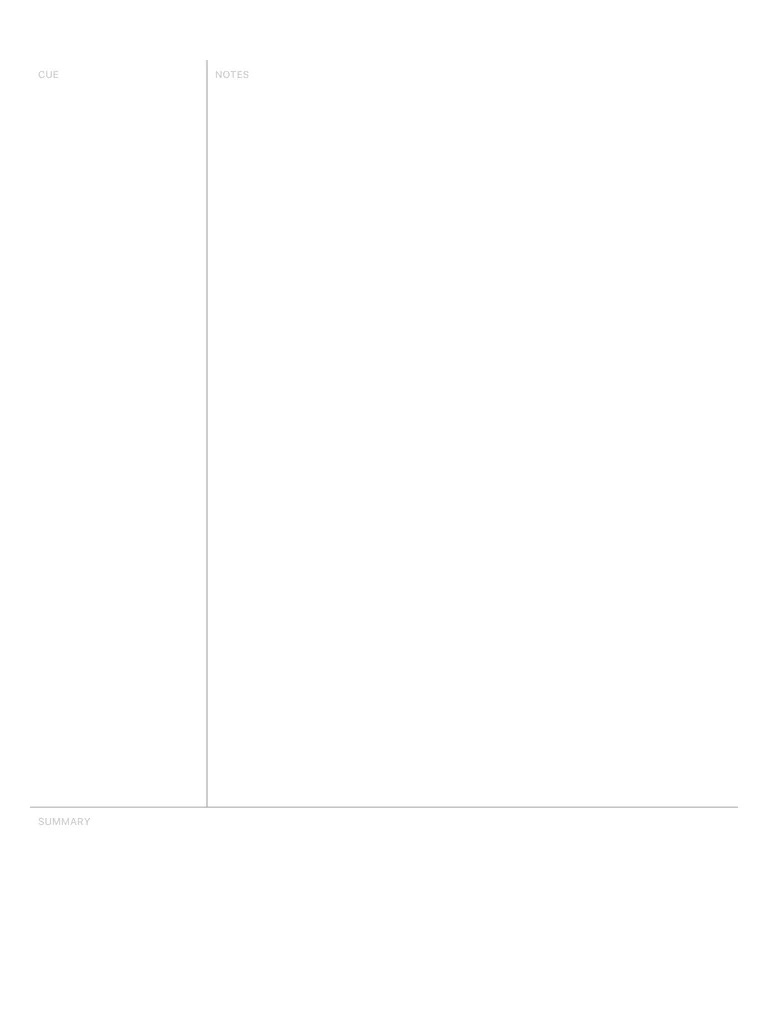
- Notes column (right, about 2/3 of the width): what you capture during class.
- Cue column (left, about 1/3): questions and keywords you add after class.
- Summary (bottom, 5–7 lines): the main points in your own words.
Step by step: the 5 R's
- Record. During the lecture, write in the notes column only. Use short phrases, abbreviations and symbols, not full sentences. Skip lines between ideas so you can add to them later.
- Reduce. As soon as possible after class — ideally the same day — read your notes and write a question or keyword in the cue column next to each chunk. “What are the two stages of photosynthesis?” is better than “photosynthesis”.
- Recite. Cover the notes column. Read each cue and answer it out loud from memory. Uncover and check. This is retrieval practice, and it's where most of the learning happens.
- Reflect. Write the summary at the bottom: two to four sentences on what this page is about and why it matters. If you can't summarise it, you don't understand it yet.
- Review. Spend a few minutes each week reciting from the cue columns of older pages. Before an exam your cues are a ready-made question bank.
Example: a biology lecture
| Cues | Notes |
|---|---|
| Where does photosynthesis happen? | Chloroplasts. Light reactions → thylakoid membranes. Calvin cycle → stroma. |
| What do light reactions produce? | ATP + NADPH, O₂ released (from splitting water). |
| What does the Calvin cycle do? | Uses ATP + NADPH to fix CO₂ into sugar (G3P). Enzyme: RuBisCO. |
Summary: Photosynthesis has two stages. Light reactions in the thylakoids turn light energy into ATP and NADPH and release oxygen; the Calvin cycle in the stroma uses that energy to turn CO₂ into sugar.
Common mistakes
- Writing cues during class. Leave the cue column empty until you review; that's the point.
- Keywords instead of questions. Questions make you recall; keywords only make you recognise.
- Skipping the summary. It's the step that turns notes into understanding.
- Never reciting. Cornell notes you only reread work no better than ordinary notes.
Cornell notes on an iPad
On an iPad you can import the lecture slides as a PDF and write Cornell notes beside them, use one colour for cues and another for notes, move a chunk of writing with the lasso when you need more space, and add as many pages as the lecture needs. When you review, cover the notes column with a sticky note or simply scroll so only the cues are visible.
The Notes for iPad app includes Cornell and lecture notes templates, and you can try the Cornell template in your browser right now.
Open the free Cornell template →
Frequently asked questions
Who invented the Cornell method?
Walter Pauk, an education professor at Cornell University, in the 1950s. He described it in his book How to Study in College.
What are the 5 R's of the Cornell method?
Record (take notes), Reduce (write cues and questions), Recite (cover the notes and answer the cues aloud), Reflect (connect ideas and write the summary) and Review (revisit regularly).
Does the Cornell method work for math?
Yes. Put worked examples in the notes column and write the type of problem or the key formula as the cue, e.g. 'When do I use the chain rule?'.
Can I use the Cornell method on an iPad?
Yes, and it's easier to keep up: you can add pages, move writing around with the lasso, paste slides next to your notes and export everything as a PDF.