Brainstorming Template
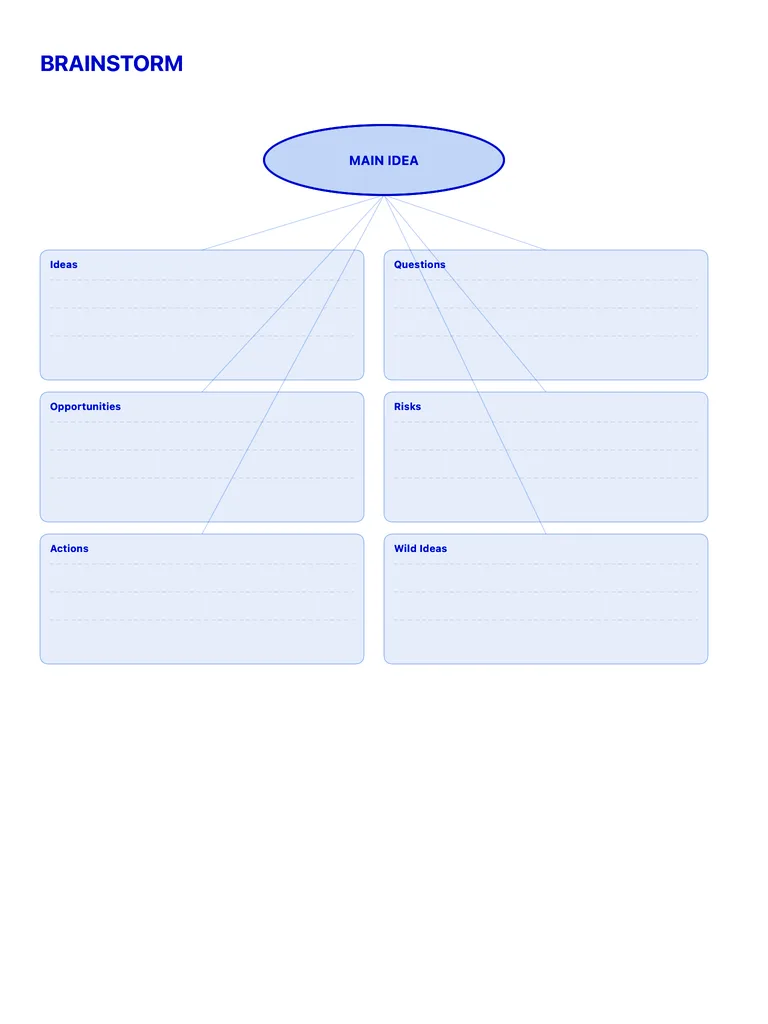
A brainstorm board with a main idea at the top and six zones: ideas, questions, opportunities, risks, actions and wild ideas. Free PDF or digital for Apple Pencil.
Free · no sign-up · PDF works for printing and in any note app (Goodnotes, Notability, Notes for iPad). Premium template in the app.
About this template
Get every idea out of your head and onto the page. The central oval anchors your main topic while 6 branch zones capture every angle — solutions, risks, opportunities, questions, and wild ideas. Perfect for product brainstorms, creative projects, or planning any complex decision.
How to use it
- Set a timer for 10 minutes and write every idea without judging it.
- Then sort: questions, risks and opportunities into their zones, and the best ideas into Actions with a next step.
Who it's for
- Creatives: Capture ideas & inspiration
- Entrepreneurs: Plan projects & track goals
- Students: Track classes, assignments & exams
Write with Apple Pencil, a mouse or your finger. Your page is saved in this browser.

Use the Brainstorming Template in Notes for iPad
Unlimited pages, 117 templates, notebooks, stickers, PDF import and export — made for Apple Pencil.
Frequently asked questions
Brainstorm board or mind map?
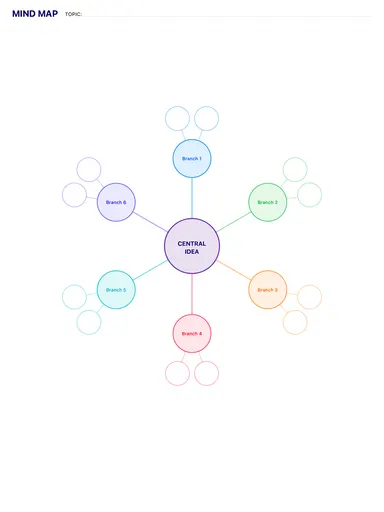
Use a brainstorm board to generate lots of ideas fast; use a mind map to organise ideas around one topic.